IBAL Book
info@ibalbook.com
+972-56-992-3350
+972-59-774-2005
Facebook
Youtube
Whatsapp
Instagram
Menu
Home
About Us
School Stages
First Grade
Second Grade
Third Grade
Fourth Grade
Fifth Grade
Sixth Grade
Subscriptions
FAQ
User Guide
Free education
Contact Us
English
العربية
English
Français
Español
Türkçe
Download App
Menu
Home
About Us
School Stages
First Grade
Second Grade
Third Grade
Fourth Grade
Fifth Grade
Sixth Grade
Subscriptions
FAQ
User Guide
Free education
Contact Us
English
العربية
English
Français
Español
Türkçe
Download App
Home
About Us
School Stages
First Grade
Second Grade
Third Grade
Fourth Grade
Fifth Grade
Sixth Grade
Subscriptions
FAQ
User Guide
Free education
Contact Us
English
العربية
English
Français
Español
Türkçe
Download App
X
User Guide
Steps to Download the App
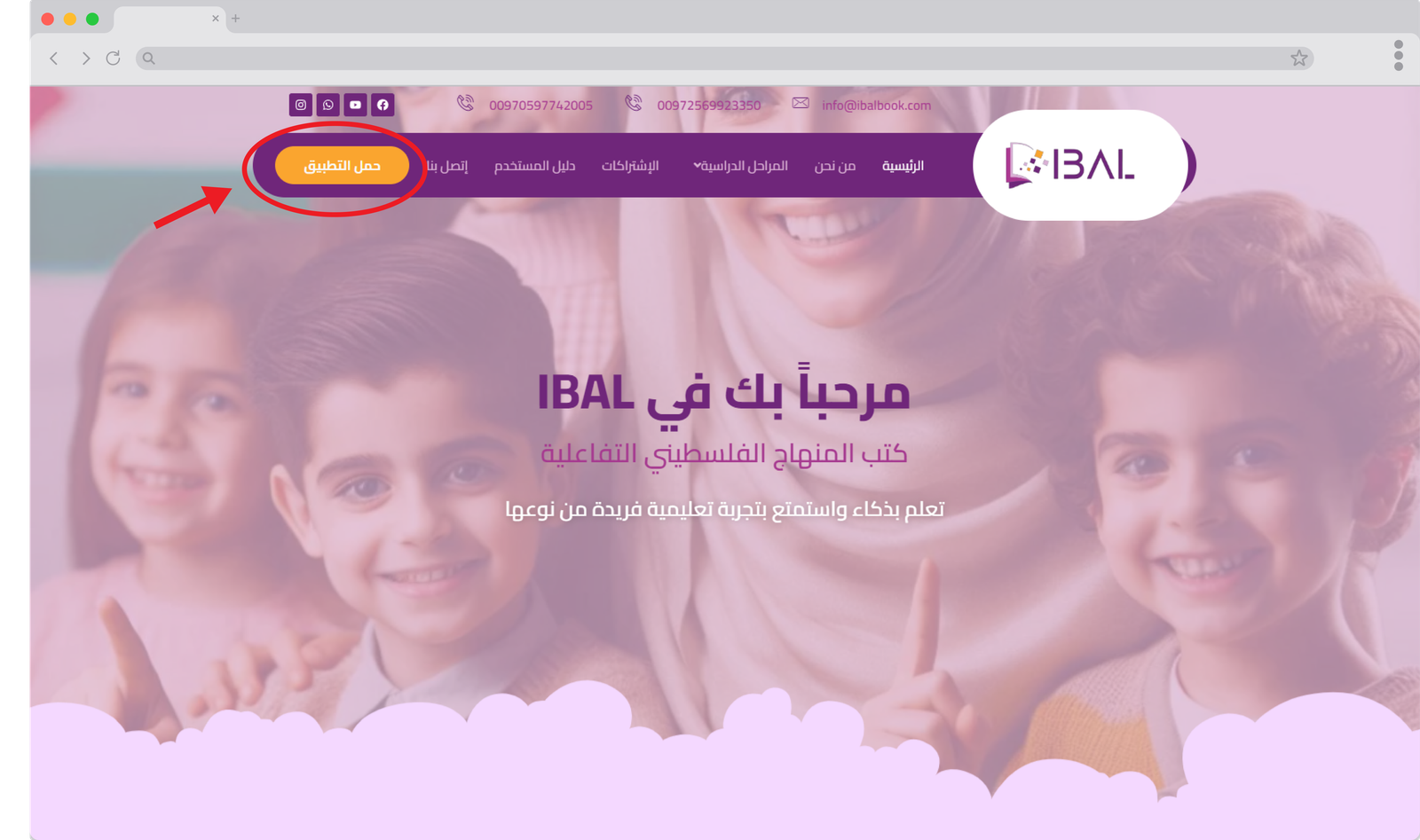
When you visit the website "ibalbook.com," the homepage will appear. Click on the "Download App" button.
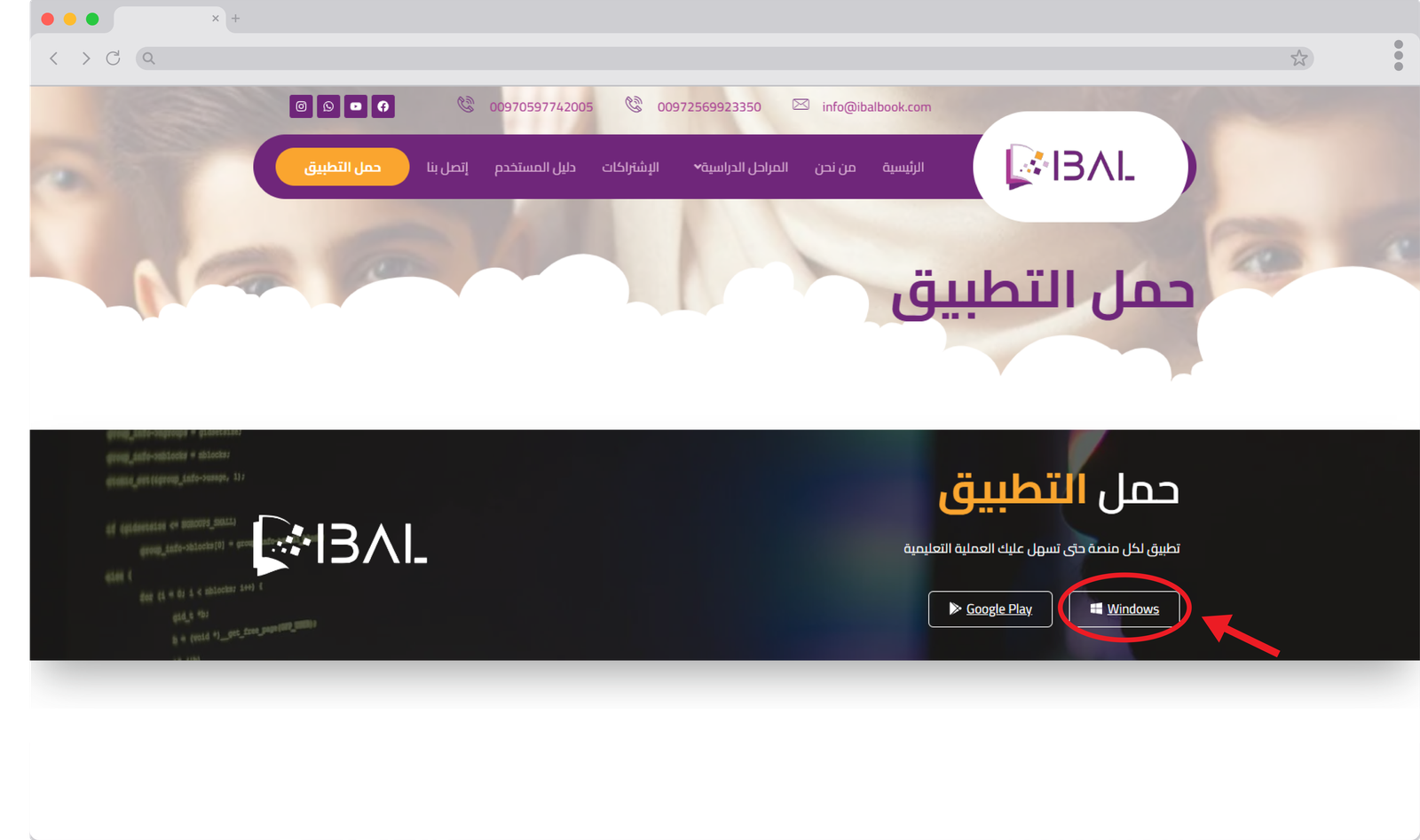
When you click on "Download App," the applications below will appear. Click the "Windows" button, and the app will start downloading to your device.
After the download is complete, double-click on the app icon.
Important Note
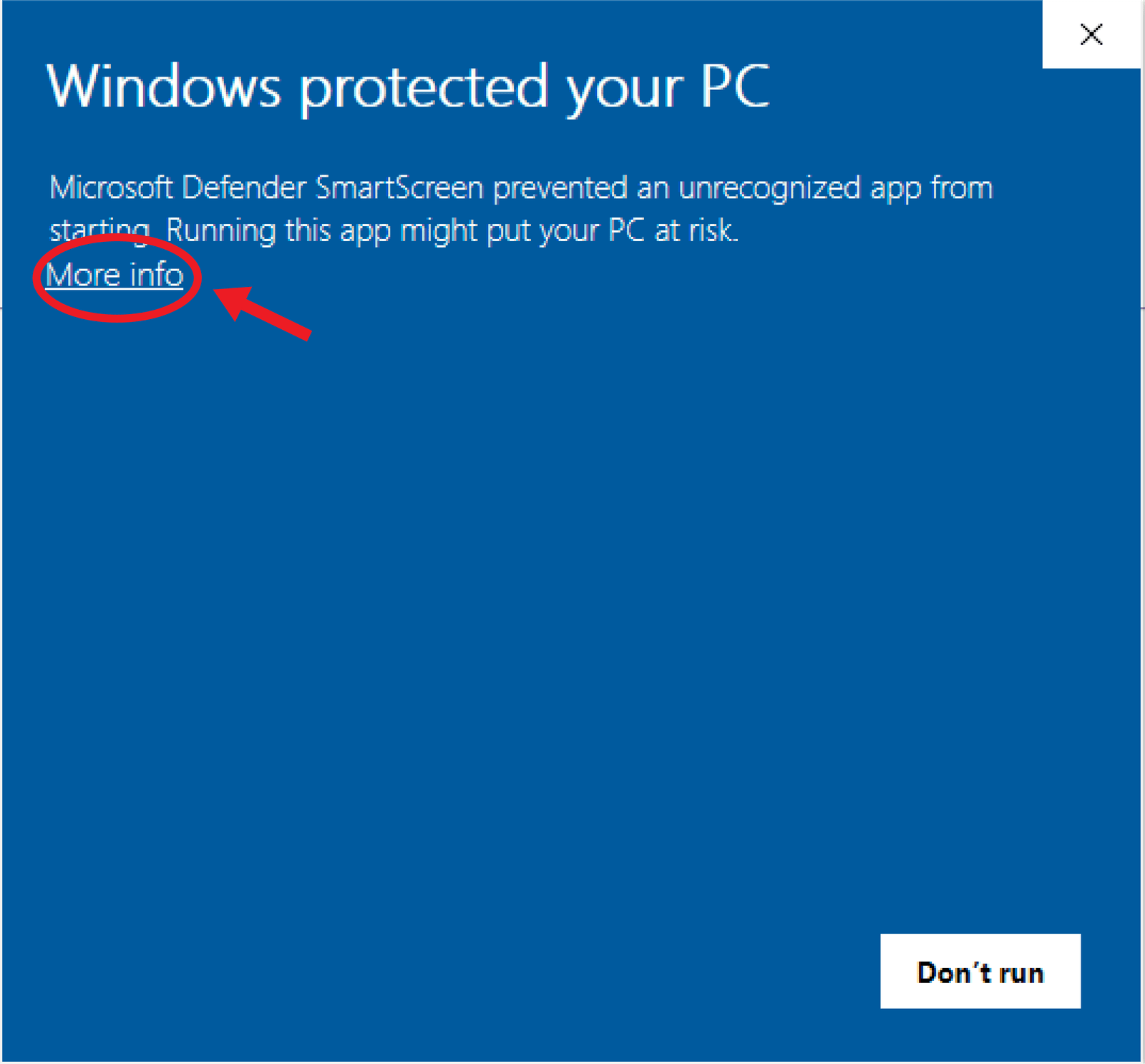
If the blue message appears, click on "More info."
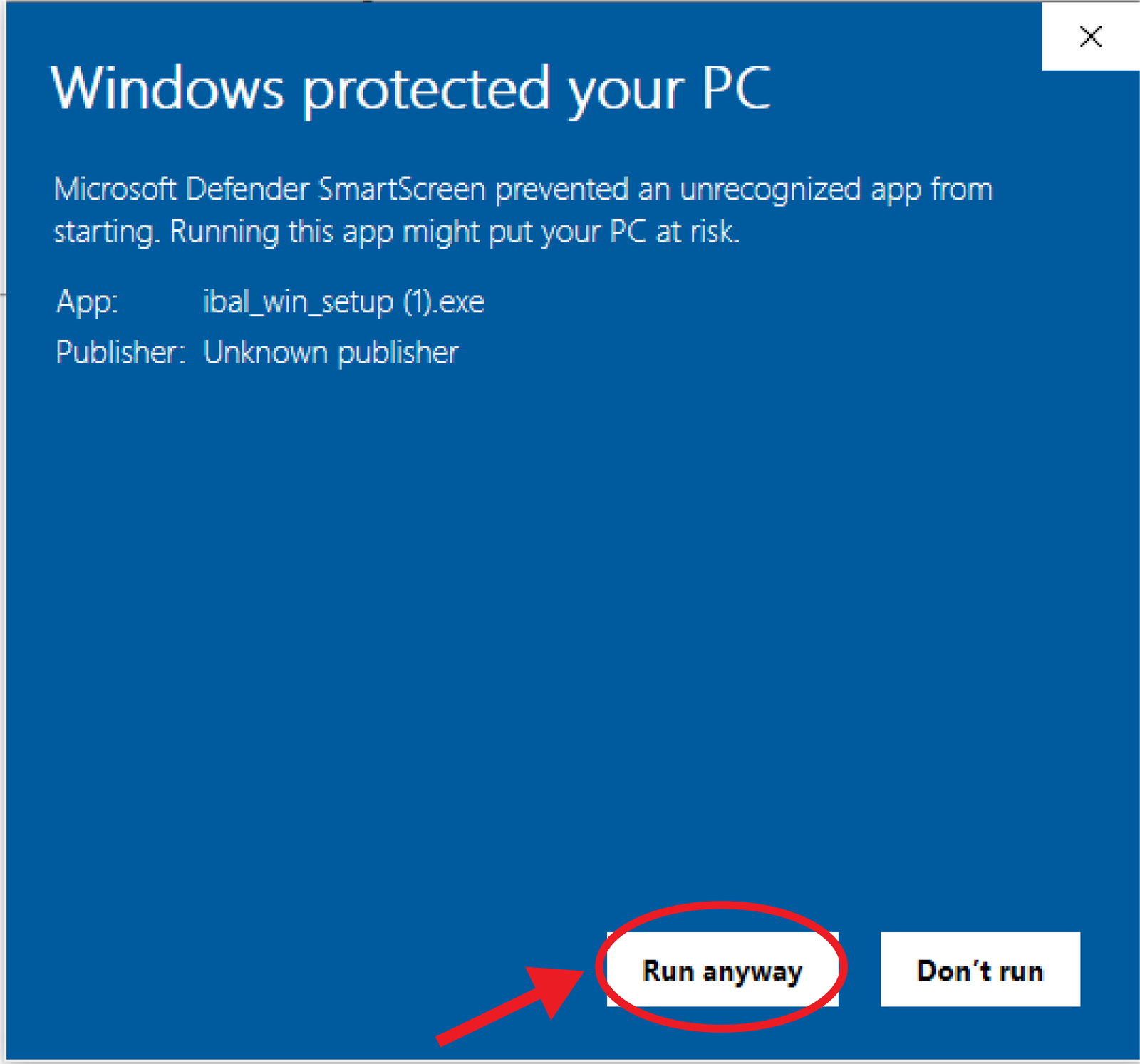
Then click on "Run anyway."
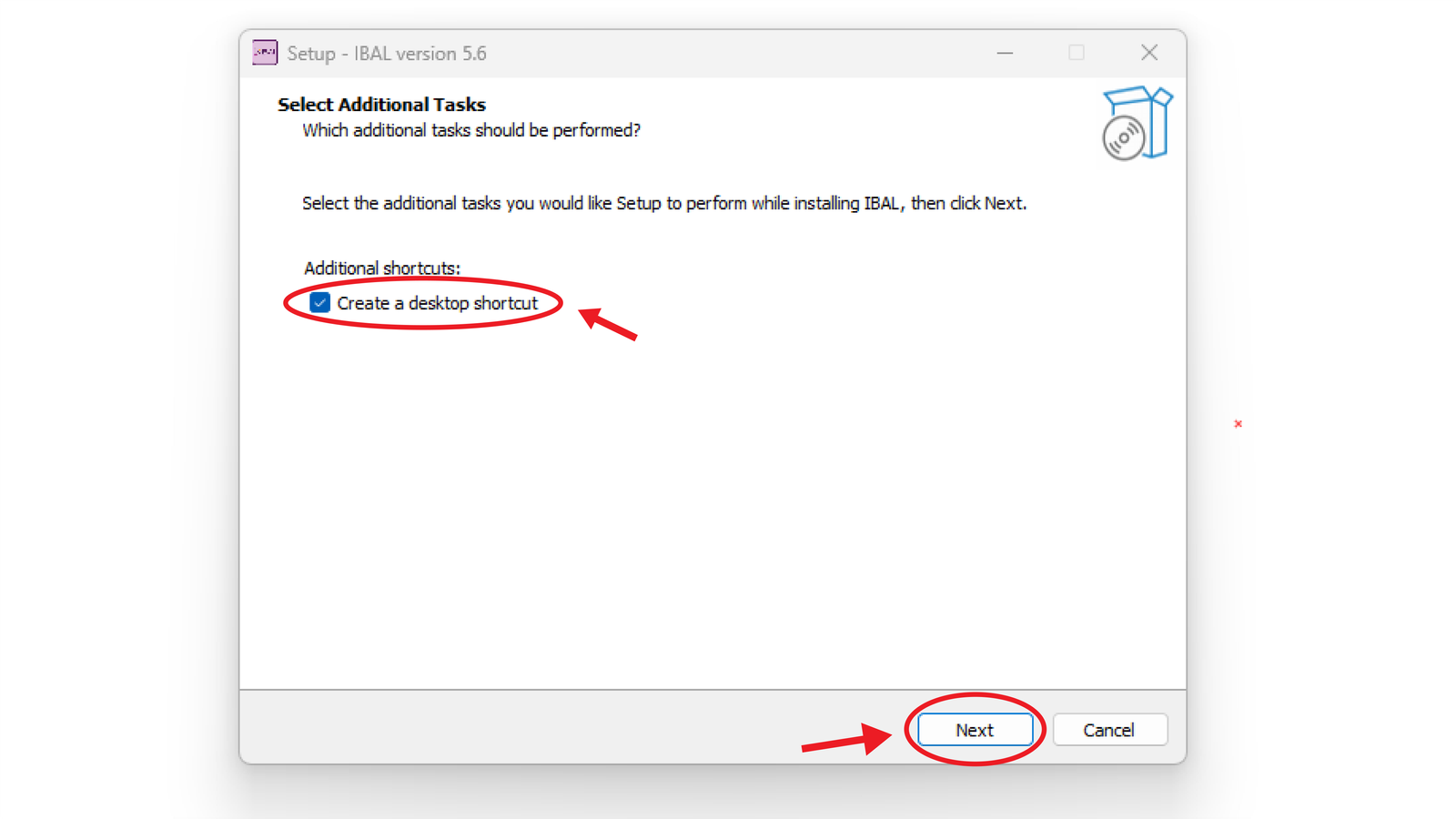
Select the "Create desktop shortcut" option if it isn’t already selected, then click "Next."
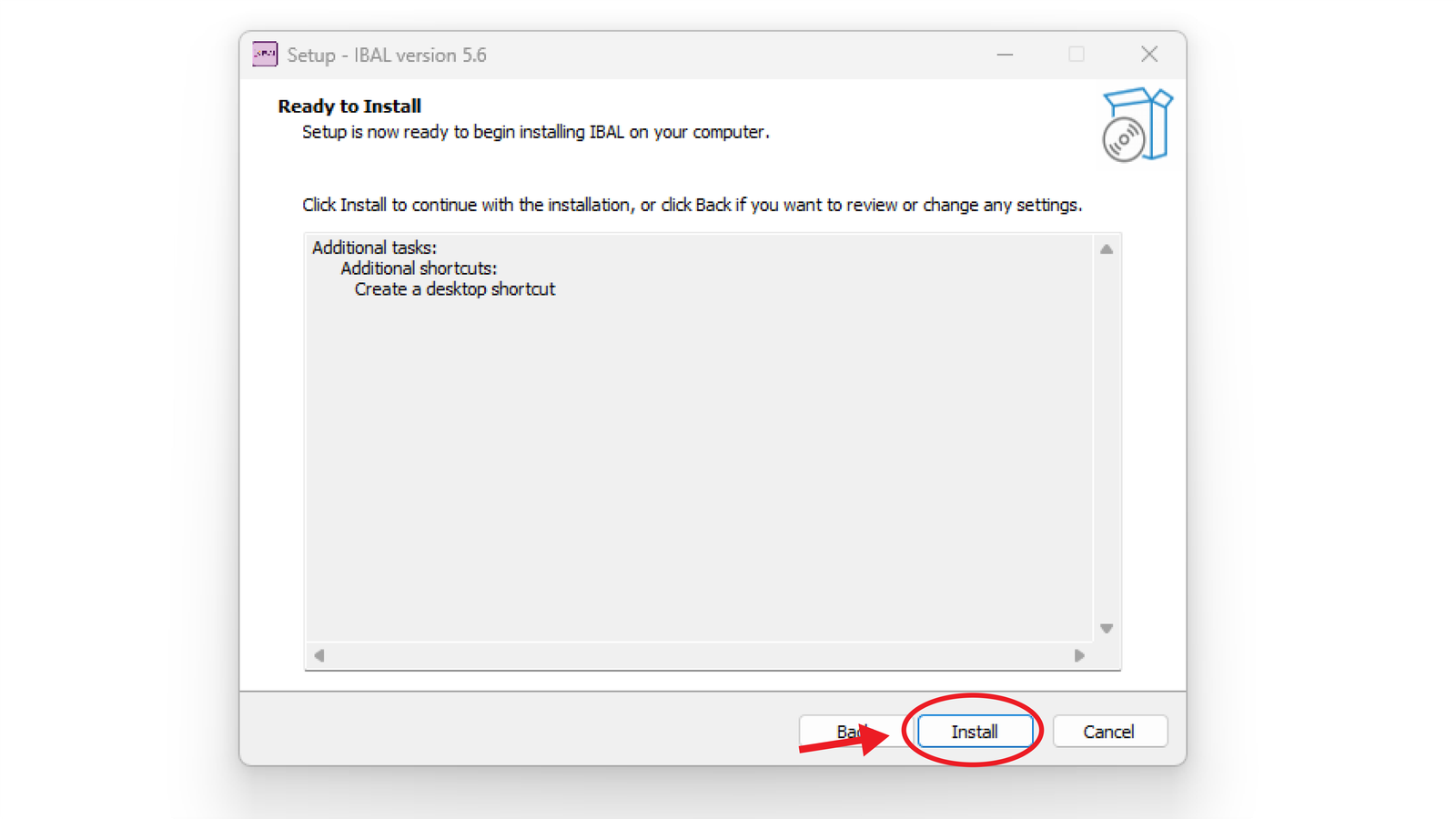
Select the "Install" option.
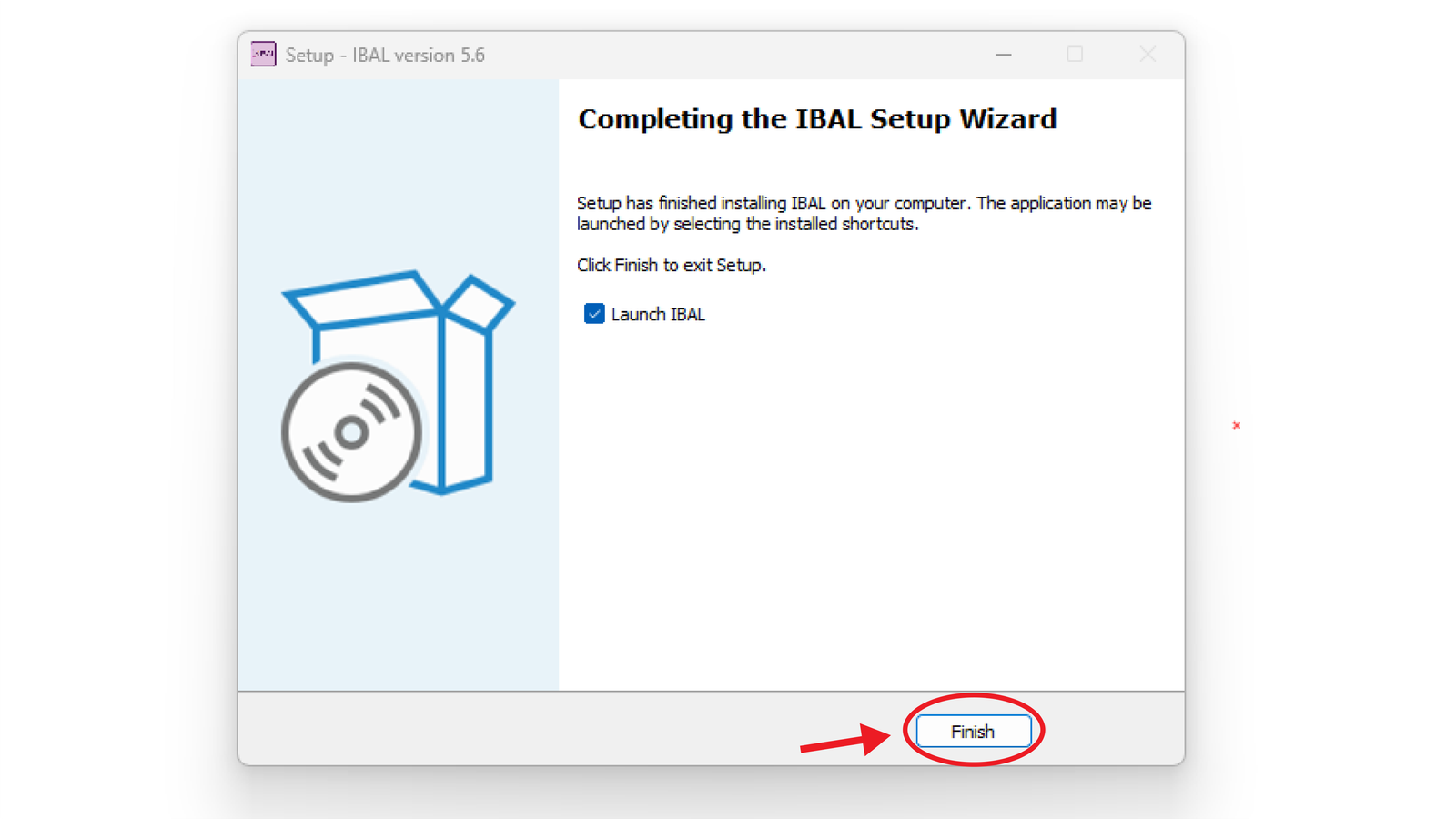
Finally, click "Finish" after selecting the "Launch IBAL" option to open the application immediately.
Video Tutorial for Registration Steps
مؤسسة ايبال التعليمية
الإدارة
مؤسسة ايبال التعليمية
مرحباً، كيف يمكنني مساعدتك اليوم؟
Powered by Elementor
إبدأ الدردشة